
I locked down voice chat on my son's Fortnite account, felt like Parent of the Year for about two weeks, and then found out he'd been playing with the same "random" kid every Saturday at his buddy Jake's house. The settings worked perfectly. He just used a side door.
That's the thing nobody tells you when you ask, how do I stop my child from talking to strangers on Fortnite? The settings are the easy part. Your kid wanting to follow them is the hard part. If you only do the tech fix, you've solved the leak in your own kitchen while your kid is happily filling buckets at the neighbor's.
So here's what actually works, in the order I wish someone had given it to me.
 Going through the friends listPause, Play, Connect: Core Deck172 prompts that make it easier to ask your kid who they have been playing with.$49 CAD • 90 cards • 18 reviewsShop the deck
First, Figure Out What "Stranger" Means to Your Kid
To you, a stranger is anyone you haven't met in person. To your 10-year-old, the random duo partner he's been matched with three Saturdays in a row is now "my friend Tyler from Ohio."
Before you touch a single setting, sit down and ask: "Who counts as your friend in Fortnite? Walk me through your friends list."
You will be surprised. I was. My son walked me through about 14 usernames and I knew exactly two of them. The rest were a mix of "kid from camp," "Jake's cousin," and a handful of "I've played with him a bunch."
When I asked about Marcus, he was offended I'd even call him a stranger. "Dad, we've played like a hundred games together." In his head, time spent equals friendship. That's the whole mental model.
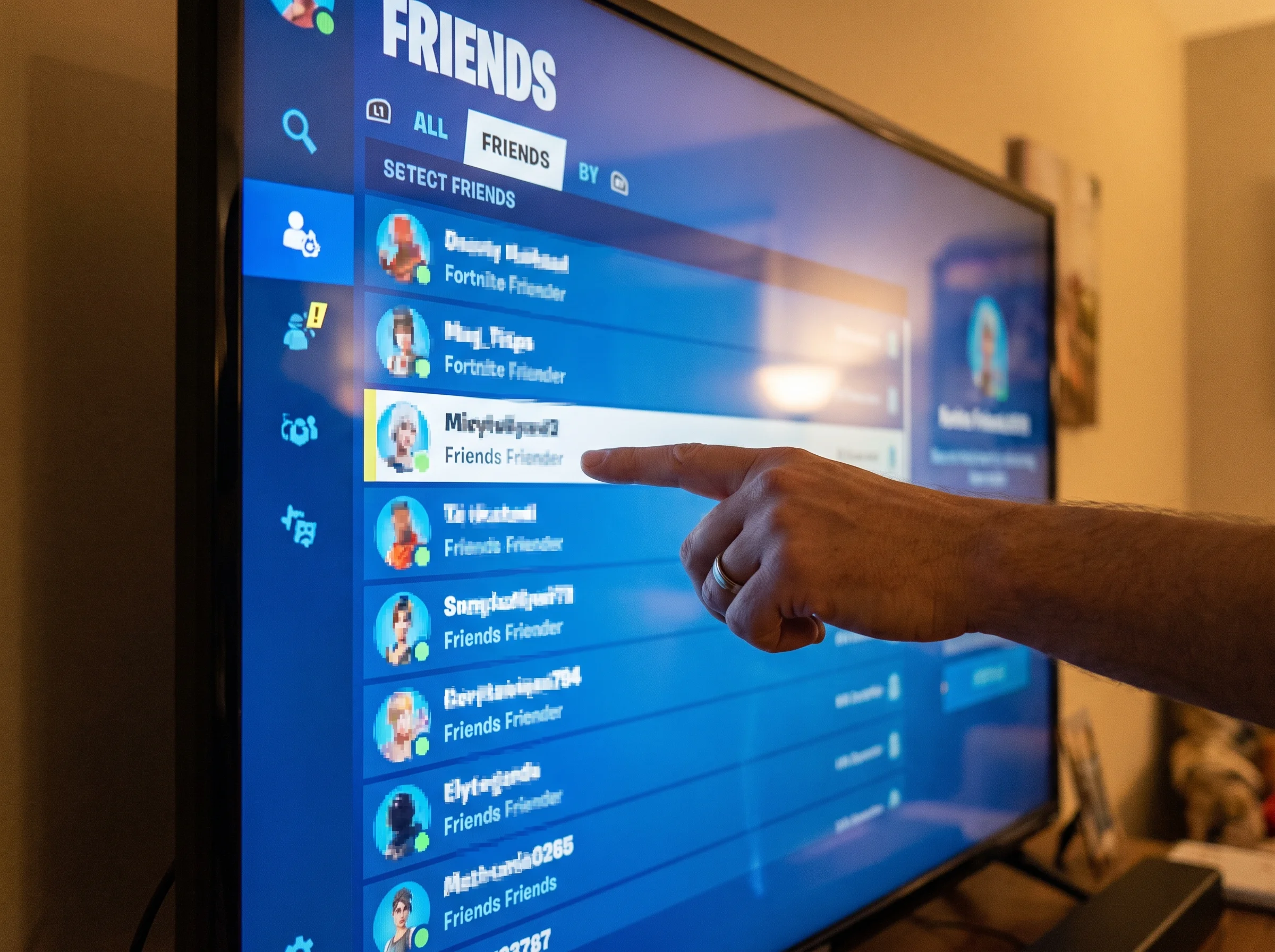
If you skip this conversation, every setting change feels like punishment for crimes he didn't know he committed. If you have it first, you can say, "Okay, so help me understand which of these people you actually know in real life," and now you're working together on the list instead of fighting about it.
The 5-Minute Settings Lockdown to Stop Strangers on Fortnite
Once you've had the friends-list talk, do the tech in one sitting with your kid watching. Don't sneak it in while they're at school. That's how you become the enemy.
1. Epic Games account (the actual Fortnite account). Log in at epicgames.com, go to the account's parental controls, and you've got toggles for voice chat, text chat, and who can send friend requests. Set voice and text to "Friends" at the minimum, "Nobody" if you want to be stricter. Turn off the option to show real names. Set a parental PIN so they can't flip it back.
2. The console account. This is the one parents miss. PlayStation, Xbox, and Switch each have their OWN chat and communication settings, separate from Epic. Even if you lock down Epic, your kid can still party-chat through the console with people on their PSN friends list. Go into the console's family settings and lock down communication there too. Both layers. Always.
3. Squad fill. In Fortnite itself, turn off "fill" or set squad-fill to friends only. "Fill" is what drops your kid into a squad with three randoms every match. That's the biggest source of stranger contact in the whole game.
4. Friend requests. Set these to "friends of friends" or off entirely. Randoms can send friend requests after a match, and a 10-year-old will accept them because, well, they just had a fun match together.

Menus shift around every few patches, so don't rely on a screenshot from some 2022 blog. Look for the feature names: voice chat, text chat, friend requests, fill.
The Conversation That Actually Makes the Settings Stick
Here's where most articles fail you. They say "talk to your kid about online safety" and then give you no actual sentences. Let me give you some.
Skip the predator talk as your opener. I know, I know, it's the scariest part. But if you lead with that, your kid stops listening because it doesn't match anything he's experienced. He hasn't met a predator. He's met Tyler from Ohio, who's been pretty nice.
Lead with curiosity instead:
- "Who do you usually play with? What do you guys talk about?"
- "What's the most annoying random you got matched with this week?"
- "If someone asked you to chat somewhere else, like Discord or Snap, would you tell me?"
Then give them the actual rules, with reasoning:
- "If anyone asks you to leave Fortnite and chat somewhere else, that's the line. Come tell me. You're not in trouble."
- "If anyone asks for a photo, your last name, your school, what your bus looks like, where you live, you just leave the party. You don't owe them a goodbye. Awkward is fine."
- "If anyone says 'don't tell your parents,' that IS the thing to tell your parents."
When I asked my son what he and his Fortnite friends actually talked about, the answer wasn't sinister. It was Fortnite strategy. He'd been telling Marcus about his loadout theories for weeks because his school friends are all into soccer and don't care about builds. He wasn't looking for a stranger. He was looking for someone to listen. That changed how I handled the whole thing.

The Discord Migration Nobody Warns You About
Fortnite friendships don't stay on Fortnite. Once two kids click, the conversation moves. Usually to Discord. Sometimes Snap. Sometimes just in-game DMs. The FBI has warned about predators using gaming platforms as an entry point and then moving the conversation to less monitored apps, so this part isn't paranoia.
Watch for:
- A new Discord install on the phone, tablet, or PC
- Usernames written on scraps of paper or in the notes app
- Friend requests on platforms your kid wasn't on last month
You don't have to go full FBI on this. A few low-key habits do most of the work:
- Keep gaming in a shared space, not behind a bedroom door
- Ask about new friends by name, casually, like you'd ask about a kid from school
- Make it normal for them to show you their friends list every couple weeks, no big deal
The goal isn't surveillance. It's a household where new online friends get mentioned the same way new classmates do.
 At dinner once a weekPause, Play, Connect: Core Deck$49 CAD • 172 promptsSee the deck
When They Play at a Friend's House
Your settings don't travel. This is the side door I missed.

Two things help:
Text the other parent. It's not weird. I promise. Something like: "Hey, we keep voice chat off with non-friends on Fortnite, would you mind doing the same when the boys play? Thanks." Most parents will say yes immediately, often because they hadn't thought about it.
Teach the rule, not just the setting. The setting is a backup. The rule is the actual thing. "When you're at Jake's, the rule is the same. No voice chat with people we don't both know. Even if his settings are different." Kids can follow rules they understand. They can't follow settings they're not in front of.
The "But It's Boring Now" Pushback
Your kid is going to push back. Voice chat is half the fun. Strategy, jokes, the goofing around between matches. That's not them being manipulative, that's just true. Research from Common Sense Media consistently shows that the social piece of gaming is often more important to kids than the game itself.
Don't go all-or-nothing. That's what pushes them to find workarounds.
The compromise that works: voice chat ON with named, real-life friends. Voice chat OFF with randoms and squad-fill. That's a yes, not a no. They keep the social part of the game with people you both know, and the stranger door is closed.
Tell them that. Out loud. "I'm not killing voice chat. I'm killing it with strangers. Your friends from school? Game on."

The 30-Second Weekly Check-In
This is the part that makes everything else last. Not a Big Talk. Not an interrogation. One question at dinner, every week.
"Play with anyone fun this week?"
What you're listening for: new names, anyone who wanted to chat off the platform, anyone who seemed older, anything that felt weird.
I'll be honest, I'm terrible at coming up with good questions on the fly. That's why we made Yakety Pack. One of the cards in our deck is "Who's the funniest person you played with this week?" and that single question has told me more about my son's online friend list than any settings menu ever did. Kids will name names when you ask the right way. They won't when you ask "how was your day."
One Thing to Do Today
If you only have ten minutes tonight: sit down with your kid, pull up their friends list together, and ask them to tell you who each person is. Don't fix anything yet. Just listen. You'll learn more in that ten minutes than in a month of reading articles like this one.
Then do the settings together this weekend. With them, not behind their back.
The settings stop strangers from talking to your kid today. The conversation stops your kid from wanting to next month. You need both.

From this article
Pause, Play, Connect: Core Deck
Keep the check-ins going: Settings close the stranger door, but the weekly "who did you play with" question is what keeps it closed. The Pause, Play, Connect Core Deck keeps those questions on the dinner table so the check-in never turns into an interrogation.

