
My son was 12 when he asked for Discord. I said no for six months because I'd Googled it and panicked. Articles called it "predator central." A few mom-blog posts had me convinced it was basically the dark web with cat emojis.
Turns out his entire friend group was using it to plan Minecraft sessions after school. Every day at 3:30, they'd hop on, build stuff together, talk about their day. And my kid? My kid was the one who never got the invite. I'd accidentally locked him out of his own social life trying to protect him from it.
That's when I realized I'd been asking the wrong question the whole time. If you're wondering what apps you should let your 12 year old have, the answer isn't a list. It's a way of thinking about each one.
Stop Asking "Is This App Safe?" Start Asking "What Is My Kid Trying To Do?"
Here's the thing nobody told me: apps aren't good or bad in isolation. Roblox can be a kid building wild obstacle courses with their cousin in another state, or it can be a kid getting weird DMs from a stranger. Discord can be a private friend server, or it can be a 50,000-person community where anything goes. Same apps. Wildly different experiences.
So when your kid asks for an app, before you Google it and spiral, ask three questions:
- Who are they going to talk to on it? (Friends from school? Strangers? A specific cousin?)
- What are they going to make or share?
- What happens if something goes sideways?
If you can answer those, you can make a real decision. If you can't, you don't have enough information yet, and "let me think about it" is a totally legitimate answer.
 Who is on the other endPause, Play, Connect: Core Deck172 prompts that get a 12 year old talking about who they play with.$49 CAD • 90 cards • 18 reviewsShop the deck

The Apps Most 12-Year-Olds Actually Want (And My Honest Take On Each)
I'm not going to pretend every kid is the same or that you should follow my exact rules. But here's roughly where I land on the big ones:
Roblox. Probably fine. Turn off chat with strangers in the settings. Sit down and play one game with them so you actually know what it is. The thing parents miss is that Roblox isn't one game, it's a platform with millions of games on it, and some are great and some are weird. Play one. You'll learn more in twenty minutes than from any review site.
Minecraft. Yes. This is the easy one. It's basically digital LEGO. Bonus: it's one of the best conversation starters you'll ever have with a kid this age.
Discord. Yes, but only in private servers with people they actually know. The "Discord is dangerous" headlines are mostly about huge public servers, which your kid has zero reason to be in. A private server with their three Minecraft friends is genuinely just a group chat with voice chat. Ask to be in the server. Not to lurk and judge, but so you know it exists.
YouTube. Inevitable. The real question is whether you stay on YouTube Kids (probably too young at 12) or move to regular YouTube with an actual conversation about what they're watching. I'd go regular YouTube and have the conversation. Ask what their favorite channels are. Watch one with them. You'll learn a lot.
Snapchat. This is where I'd slow down. The disappearing message thing creates a fake feeling of consequence-free behavior, and middle schoolers don't have the brain wiring yet to handle that well. Research from the American Academy of Pediatrics backs this up, the adolescent brain is still developing impulse control well into the late teens. If you say yes, lock down who can contact them and revisit it in six months.
TikTok. The hardest one. I'd push for waiting until 13 if you can, honestly. If you cave (and I get it), the For You page is the entire experience. Sit down with them in week one and curate it together. Train the algorithm on the stuff you're okay with before it trains itself on whatever.
Instagram. Officially 13+. I'd hold the line if you can. Once they're on it, they're on it forever.
WhatsApp and iMessage. Usually fine. Group chats are where middle school drama actually lives though, so don't assume "it's just texting" means nothing is happening.

The "Everyone Has It" Problem Is Real
Do not dismiss this. I see parents wave it off like it's manipulation, and sometimes it is, but mostly it's a real social cost we're asking our kids to pay. Being the only kid not in the group chat means you miss the inside jokes, the plans, the invites.
That said, "everyone has it" is usually three loud kids, not everyone.
When my son told me "everyone" had Snapchat, I texted four parents from his class. Two said yes, two said absolutely not. "Everyone" was 50%. That's still a lot, but it's not everyone, and now I had a real data point instead of a guilt trip.
The middle path is usually the right answer. Maybe they get the app, but with training wheels. Friends-only. No DMs from strangers. You have the password. You revisit in three months.
How To Actually Test An App Before Saying Yes
This sounds obvious but I almost never see it written down: download the app yourself. Use it for a week. Set up an account. Poke around the settings. Try to find sketchy stuff. See how easy it is for a stranger to message you.
Then have your kid show you how THEY would use it. Watch them set up the account. Watch which permissions they tap through without reading. That tells you a lot about whether they're ready.
One more thing I do: Google the app name plus "controversy" or "scandal." Not to scare myself. Just so I know what I don't know. Common Sense Media is also a solid place to read parent and kid reviews of specific apps before you commit.
 Know their world firstPause, Play, Connect: Core Deck$49 CAD • 172 promptsSee the deck

The Conversations Matter More Than The Rules
This is the part most articles skip, and it's the most important.
Rules without conversations create kids who hide things from you. If your kid knows you'll lose your mind about anything weird that happens online, they will not tell you when something weird happens online. That's just how kids work. That's how I worked.
Before you approve any app, have the conversation:
- "What would you do if a stranger DMed you?"
- "What if a friend sent you something that made you uncomfortable?"
- "What if you saw something that made you feel bad?"
You're not quizzing them. You're rehearsing. You want them to have already thought about it before the moment arrives.
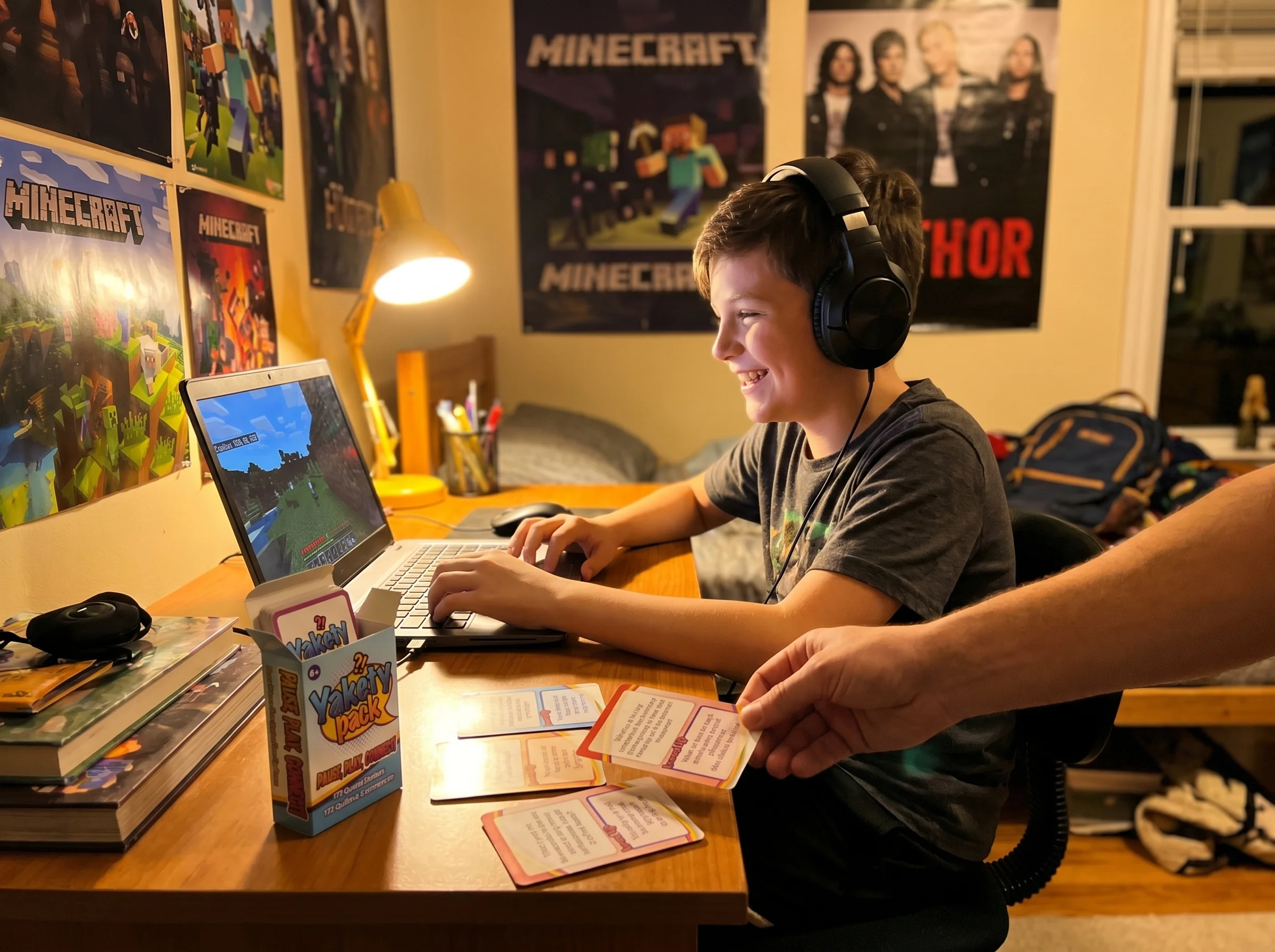
This is honestly why we started Yakety Pack. My best parenting moments weren't when I was setting rules. They were when my kid was telling me about a Minecraft world he'd built and I asked one good follow-up question and suddenly he was talking about who he was playing with and what they were arguing about. One of our cards asks "who's the funniest person you play games with?" and just like that, you know who's in his world. That's the layer underneath any app decision. If you know your kid's online life in normal, low-pressure conversation, you'll know when something's off without having to read their texts.

Saying No Without Making Your Kid An Outcast
If you're going to say no, here's how to do it without nuking their social life:
"Not yet" beats "no." Give a timeline. "Let's revisit at 13." "After we've talked through how you'd handle X." A future yes is a lot easier to accept than a forever no.
Offer an alternative that scratches the same itch. No Snapchat? Cool, but maybe a group iMessage thread with the same friends. No Discord? Maybe a Minecraft Realm where they can play together.
Let them blame you. Seriously. "My dad's lame about it" is a perfectly fine cover story. Don't make your kid carry your rules in front of their friends. That's your job.
If You Just Want A Starting Point For What Apps To Let Your 12 Year Old Have
For most 12-year-olds, this is roughly where I'd land:
- Comfortable yes: Minecraft, Roblox (with chat off), Khan Academy, Duolingo, Spotify, YouTube (with conversations), iMessage, WhatsApp
- Yes with guardrails: Discord (private servers only), Group FaceTime, regular YouTube
- Slow down: Snapchat, TikTok, Instagram, BeReal
- Not yet: Anonymous chat apps (Yik Yak, Wizz, NGL), anything rated 17+, dating-adjacent apps
The honest caveat: your 12-year-old isn't my 12-year-old. A mature 7th grader who tells you everything is a different decision than a 6th grader who just got their first phone. Adjust accordingly.
The Counterintuitive Truth
Here's the thing I wish someone had told me when I was saying no to Discord for six months: saying no to an app your kid's whole friend group uses isn't safer. It often just means you've lost visibility.
The kids whose parents say a hard no to everything are often the same kids using burner accounts on their friends' phones. Visibility beats restriction almost every time. A kid who has the app with your knowledge and an open conversation is safer than a kid who has the app in secret.
That doesn't mean yes to everything. It means the decision isn't really about the app. It's about whether you actually know what your kid is doing online, and whether they'd tell you if something went sideways.
That comes from talking to them. Regularly. About the games. About the friends. About the dumb stuff that happened in their server today. Not from a content filter.
One Thing To Do Today
Pick the app your kid is currently asking for. Download it tonight. Set up an account. Use it for an hour.
Then at dinner tomorrow, ask them to show you how they'd use it. Not as a test. As genuine curiosity. You'll learn more about whether they're ready in twenty minutes than you will from any article, including this one.
And if you want more on this stuff, our pillar piece on gaming apps and technology for middle schoolers goes deeper on the broader landscape. If you're reading this because your kid is specifically asking about GTA 6, we wrote about that one too because it deserves its own conversation.
Good luck out there. We're all making it up as we go.

From this article
Pause, Play, Connect: Core Deck
Between app decisions: Every yes or no on this list rests on how well you already know your kid's online world, and that gets built at dinner, not in a settings menu. The Pause, Play, Connect Core Deck handles the loop-keeping in between.

